Sign in to the console
The Varqeni console has one sign-in page: varqeni.com/login. It opens the console at varqeni.fortisdatalab.com once you are in.
AvailabilityAvailable to everyone with early access to Varqeni.
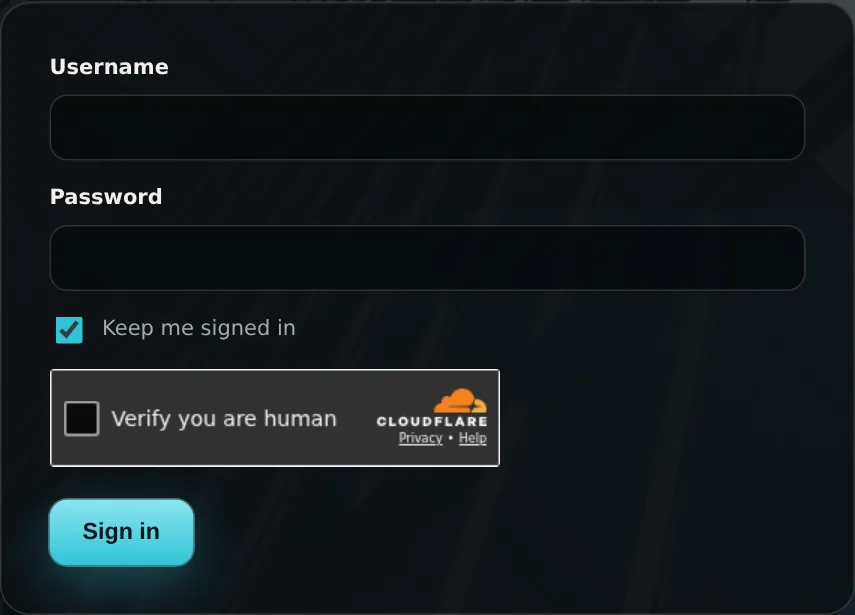
Steps
- Go to varqeni.com/login, or open the console address. If you are signed out, it sends you to the sign-in page.
- Enter your username and password.
- Leave Keep me signed in ticked to stay signed in on this device for 90 days. Untick it on a shared computer: you are then signed in for one day.
- Wait for the security check to finish. Usually it passes without you doing anything; sometimes it asks you to tick a box.
- Choose Sign in.
What you should see: The console opens on the page you were going to. Your username shows at the top right, next to Sign out.
What it can and cannot do
Can
- Keep you signed in on this device for 90 days, or one day with the box unticked.
- Take you back to the page you were going to after signing in.
Cannot
- Reset a forgotten password from the sign-in page. Ask the person who set up your access.
If it does not work
- That username or password is not right. Check the username and try again. See Wrong username or password.
- Too many tries. Wait 15 minutes, then try again. Eight wrong tries from one place pause sign-in. See Too many tries.
- The security check did not go through. See The security check did not go through.
Related articles
- Sign out, and how long you stay signed inSign out from the top right of the console. Without signing out you stay in for 90 days, or one day on a shared computer.
- Wrong username or passwordThe sign-in page says That username or password is not right.
- How sign-in is protectedA security check, a lockout after eight wrong tries, and a sign-in that belongs to the console address only.
Still stuck? Contact support or email info@fortisdatagroup.com.