Play an incident's story
An incident is a sealed record of many steps. The story tells it in order, one step at a time, with the evidence for each, so anyone can follow what happened and why.
AvailabilityAvailable to everyone with early access to Varqeni.
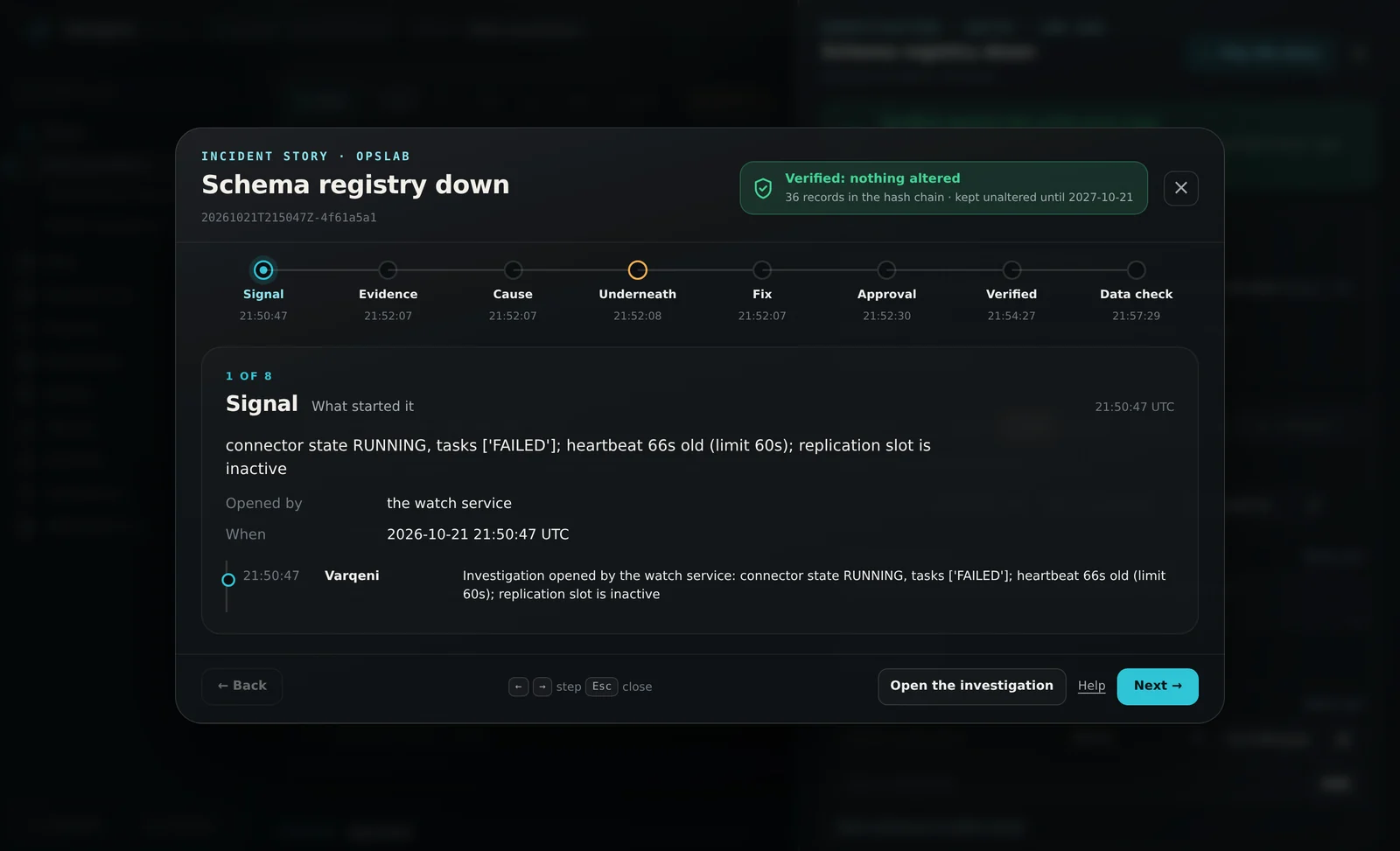
Steps
- Open an incident and choose Play the story at the top of the panel.
- The steps run along the top: Signal, Evidence, Cause, Underneath, Fix, Approval, Action, Verified and Data check. Only the steps the record has are shown.
- Use the arrow keys, Next and Back, or choose a step. Each step shows what Varqeni read or did, with the times from the record.
- Cause shows the cause of record from the rule engine and its confidence beside the model review, and what was considered and ruled out.
- The seal at the top right stays in view the whole time: Verified: nothing altered when the record checks out, with how long it is kept.
What you should see: A story can be shared as a link: it opens on the same incident for anyone signed in to your console.
What it can and cannot do
Can
- Step through one incident from its signal to its data check, with the evidence for each step and the seal in view.
Cannot
- Show steps the sealed record does not hold.
If it does not work
- If the story says it could not load the incident, see Could not load this bundle.
Related articles
- The incident timelineEverything that happened in one incident, in order, with who did it: from the first signal to the system being healthy again.
- Read an investigationOpen an investigation to see the cause of record, the model review, what was ruled out and what a person should do next.
- The audit trail and the verified sealEvery step is written to a hash chain, and the copy you read is checked against the locked one. The seal tells you nothing was altered since.
Still stuck? Contact support or email info@fortisdatagroup.com.