Ask PelQi a question
PelQi is the Fortis agent built into the console. In Varqeni it is read-only: it can explain, it cannot change anything.
AvailabilityAvailable to everyone with early access to Varqeni.
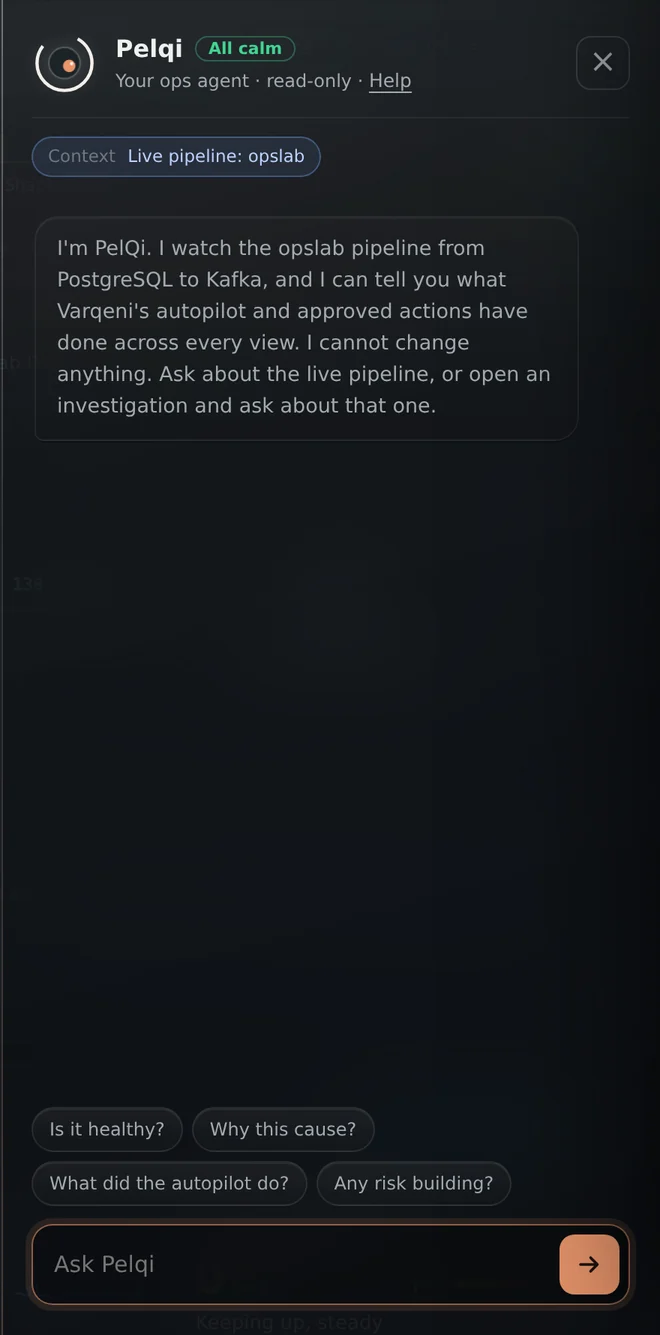
Steps
- Choose Ask PelQi at the bottom right, or press /.
- Choose a suggested question, such as Is it healthy?, or type your own (up to 1,000 characters).
- Press Enter or the arrow to send.
What you should see: PelQi's answer appears in the panel, citing the evidence it used. A Copy button sits under each answer.
What it can and cannot do
Can
- Answer questions about the live pipeline, the estate and investigations, citing the evidence.
Cannot
- Change anything, run a fix, or see systems Varqeni does not watch.
If it does not work
- one question at a time, try again in a few seconds or daily limit of 300 questions reached: see PelQi says to wait, or that the daily limit is reached.
- Request failed: see PelQi says Request failed.
Related articles
- Ask about one investigationPoint PelQi at an investigation so it answers about that one, or back at the live pipeline.
- "Not found in the evidence, treat with care"PelQi flags any name or value in its answer that it could not find in the evidence.
- Limits on questionsOne question every few seconds, and up to 300 questions a day for each console.
Still stuck? Contact support or email info@fortisdatagroup.com.