The Evidence and Report tabs
Two tabs in an investigation hold the detail behind the summary.
AvailabilityAvailable to everyone with early access to Varqeni.
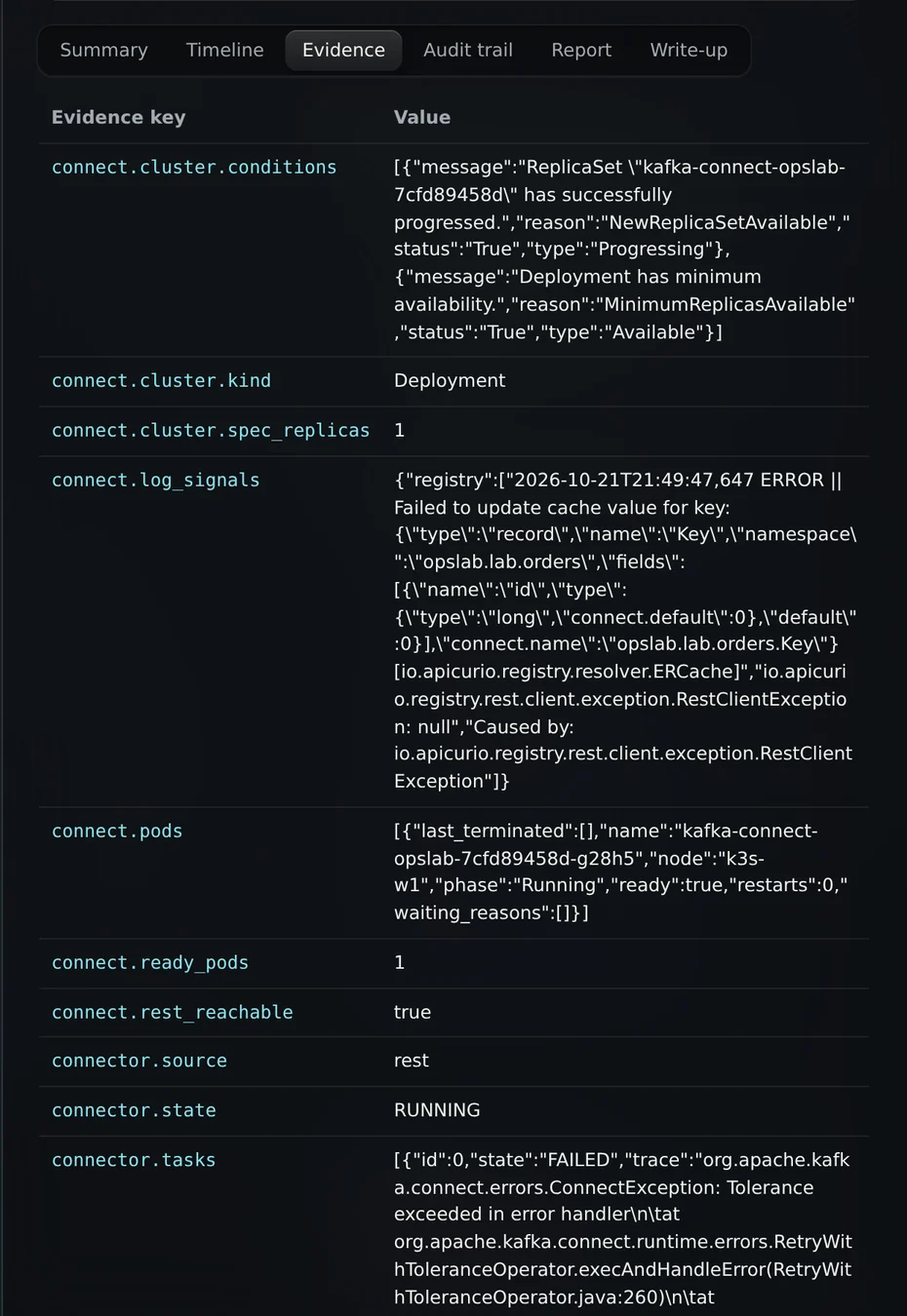
Steps
- Evidence is a table of every reading: each key and its value, exactly as collected.
- Report is the full write-up in plain words: the cause, the evidence that supports it, what was ruled out, and the recommended actions.
- Where a fix is allowed, the report prints the exact approval command and what to confirm first.
What you should see: Values in the evidence table are shown as text, never run or rendered, so nothing in the evidence can change the page.
What it can and cannot do
Can
- Show every reading exactly as collected, and a written report with the approval command where a fix is allowed.
Cannot
- Run anything found in the evidence. Values are shown as text only.
Related articles
- Read an investigationOpen an investigation to see the cause of record, the model review, what was ruled out and what a person should do next.
- Approve a recommended fixWhen a report recommends a fix, a person on the on-call rota approves it for that one incident, in the console. Varqeni runs it once and checks it.
- The audit trail and the verified sealEvery step is written to a hash chain, and the copy you read is checked against the locked one. The seal tells you nothing was altered since.
Still stuck? Contact support or email info@fortisdatagroup.com.