Read an investigation
An investigation is a sealed bundle: the evidence, the cause the rules named, the model review and the report.
AvailabilityAvailable to everyone with early access to Varqeni.
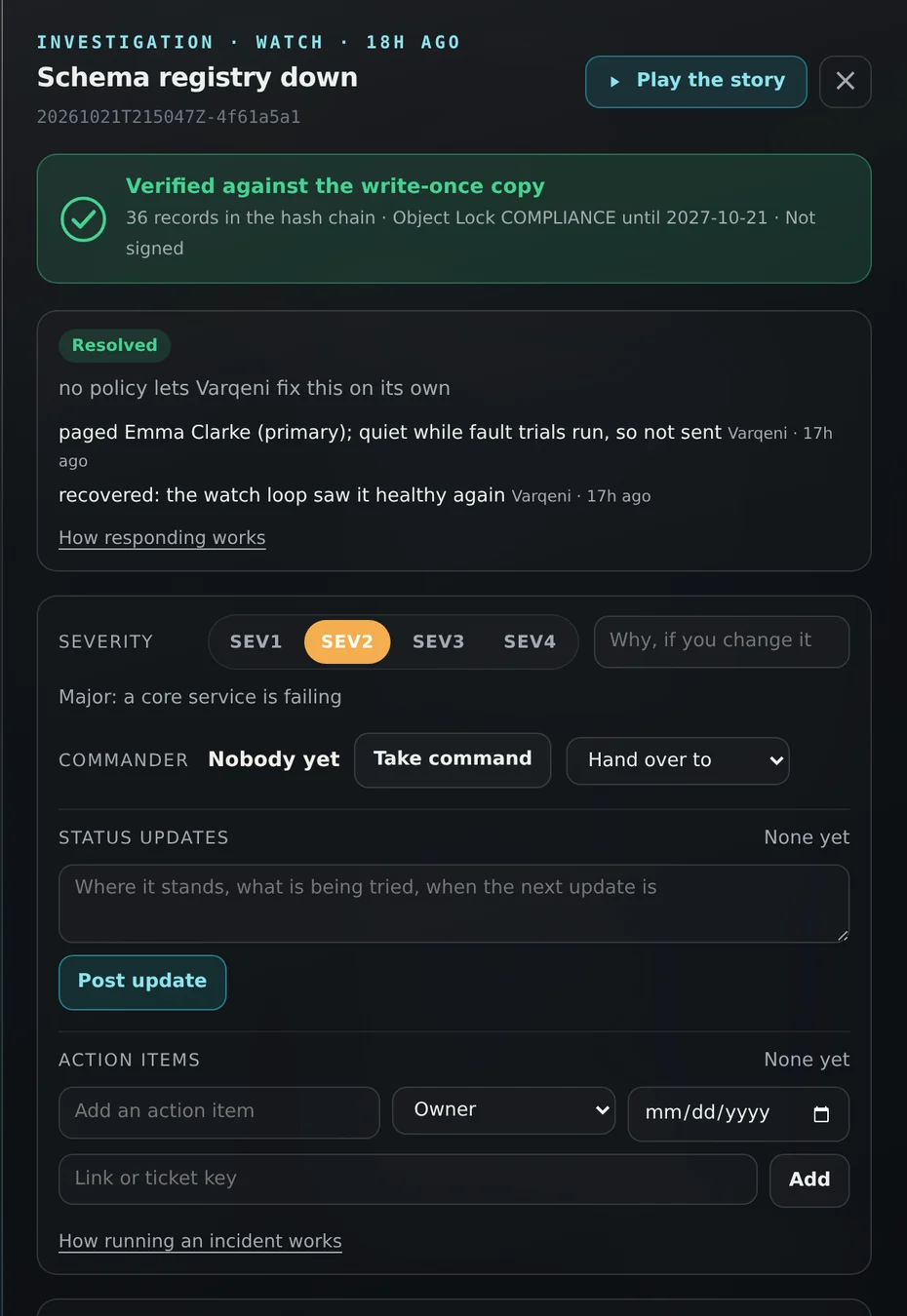
Steps
- Choose an investigation in the list, or from a notice or search.
- At the top, the seal says Verified against the write-once copy when the bundle checks out.
- Summary shows the cause of record from the rule engine with its confidence, the model review (Agrees, Differs, Rejected or Not run), what was considered and ruled out, what a person should do, and what is uncertain.
- Evidence, Audit trail and Report hold the detail. See the related articles.
- Choose Ask PelQi about this to ask questions about this investigation.
What you should see: The rule engine always decides the cause. If the model explanation fails validation, it is shown dimmed for reference and the rule engine's result stands.
What it can and cannot do
Can
- Show the cause of record, the model review, what was ruled out and what a person should do.
Cannot
- Let the model change the cause. The rule engine decides; the model only reviews.
If it does not work
- If it says Could not load this bundle, see Could not load this bundle.
Related articles
- What each cause meansThe causes Varqeni names for a change data capture pipeline, in plain words.
- The Evidence and Report tabsEvidence lists every reading Varqeni took. Report is the full write-up, including the command to approve a fix.
- The audit trail and the verified sealEvery step is written to a hash chain, and the copy you read is checked against the locked one. The seal tells you nothing was altered since.
Still stuck? Contact support or email info@fortisdatagroup.com.