The Actions view
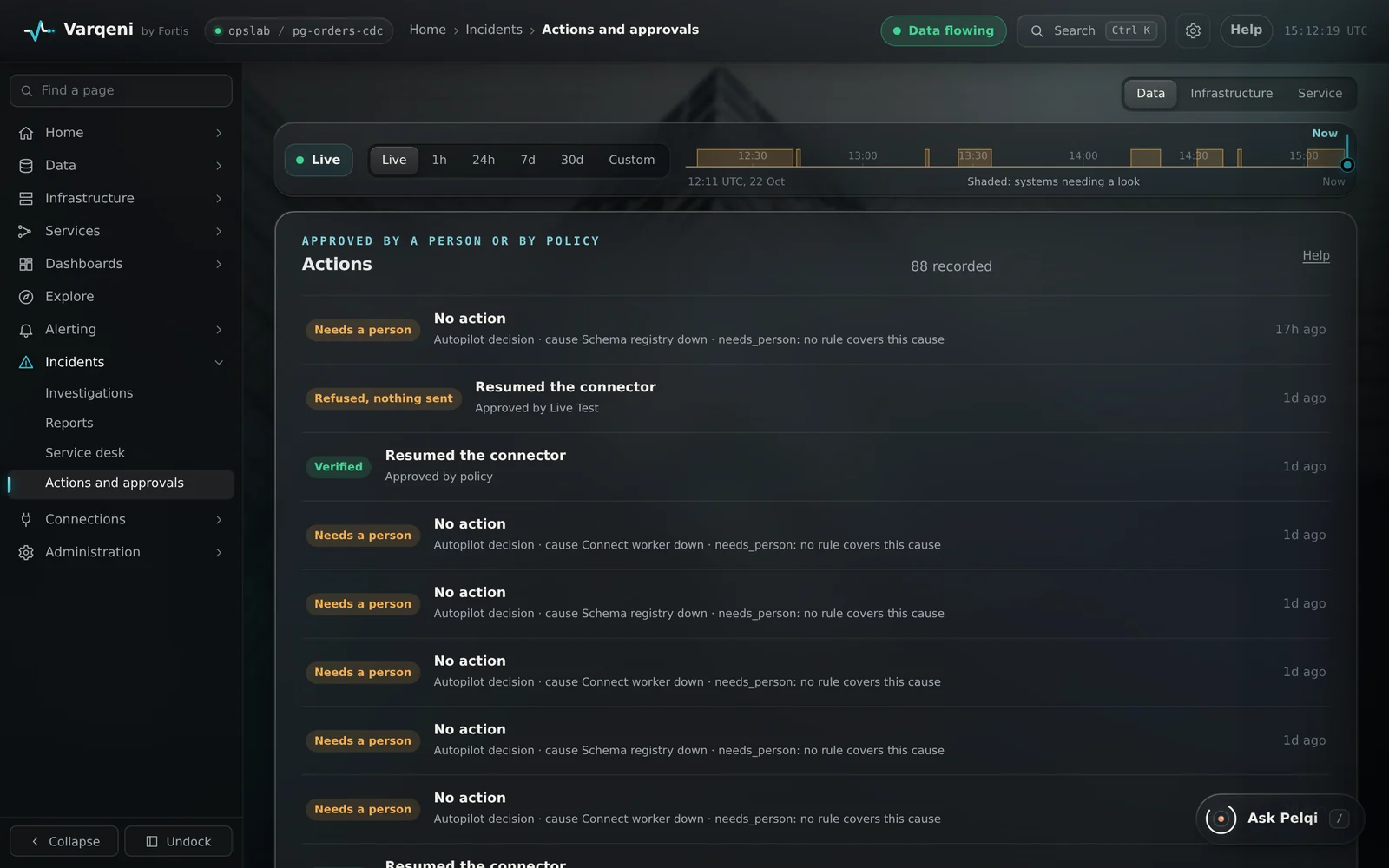
Actions lists every action bundle, approved by a named person or by the autopilot policy, with its checked outcome. It also lists autopilot decisions that did not act, and why.
AvailabilityAvailable to everyone with early access to Varqeni.
Steps
- In the sidebar, open Incidents and choose Actions and approvals.
- Each row shows the fix, the incident, who approved it and the outcome.
- Choose a row to open its bundle: the evidence, the audit trail and the report.
What you should see: Outcomes read resolved (verified), failed (sent once and did not recover), refused (a check failed, nothing was sent) or needs a person.
What it can and cannot do
Can
- List every fix, who or what approved it, and its checked outcome, plus autopilot decisions that did not act.
Cannot
- Run or undo a fix from the console.
Related articles
- Approve a recommended fixWhen a report recommends a fix, a person on the on-call rota approves it for that one incident, in the console. Varqeni runs it once and checks it.
- The autopilot: acting within policyFor faults your written policy covers, the autopilot fixes the fault without waiting for a person, checks it, and tells you.
- The audit trail and the verified sealEvery step is written to a hash chain, and the copy you read is checked against the locked one. The seal tells you nothing was altered since.
Still stuck? Contact support or email info@fortisdatagroup.com.