The Policies view
Policies shows the rules as the code reads them, so it can never claim more than Varqeni can do.
AvailabilityAvailable to everyone with early access to Varqeni.
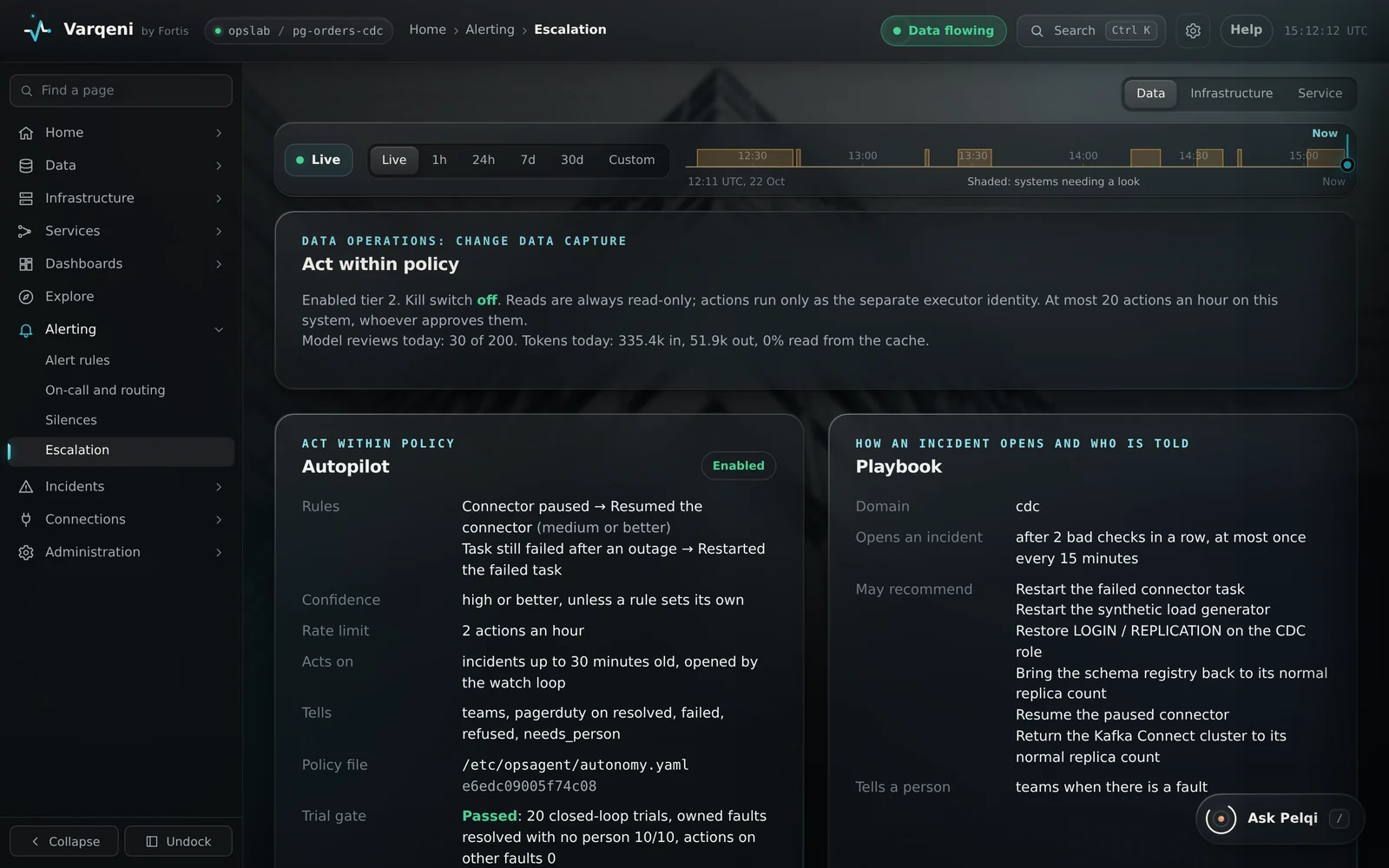
Steps
- The top shows the autonomy level, the highest tier of action enabled, and whether the kill switch is on.
- Autopilot shows the written policy: which cause may be fixed by which action, at what confidence, how many times an hour, and whether its trials passed.
- Playbook shows when an investigation opens and who is told.
- What each action may do lists every action Varqeni knows, with its risk tier, whether it can be undone, and whether Varqeni may run it.
What you should see: If the policy file has a mistake, the Autopilot card shows the error instead of the rules, and the autopilot does not act.
What it can and cannot do
Can
- Show the rules exactly as Varqeni reads them from its code and policy file.
Cannot
- Edit the policy. Changes are made on the Varqeni host by an administrator.
Related articles
- The autopilot: acting within policyFor faults your written policy covers, the autopilot fixes the fault without waiting for a person, checks it, and tells you.
- Autonomy levels: observe, recommend, approve, act within policyHow much Varqeni may do on its own, from only watching to fixing known faults under a written policy.
- Change the autopilot policyThe autopilot policy is a reviewed file on the host. Changes are checked before they take effect.
Still stuck? Contact support or email info@fortisdatagroup.com.