The Systems view
Systems is the list of everything Varqeni watches for you.
AvailabilityAvailable to everyone with early access to Varqeni.
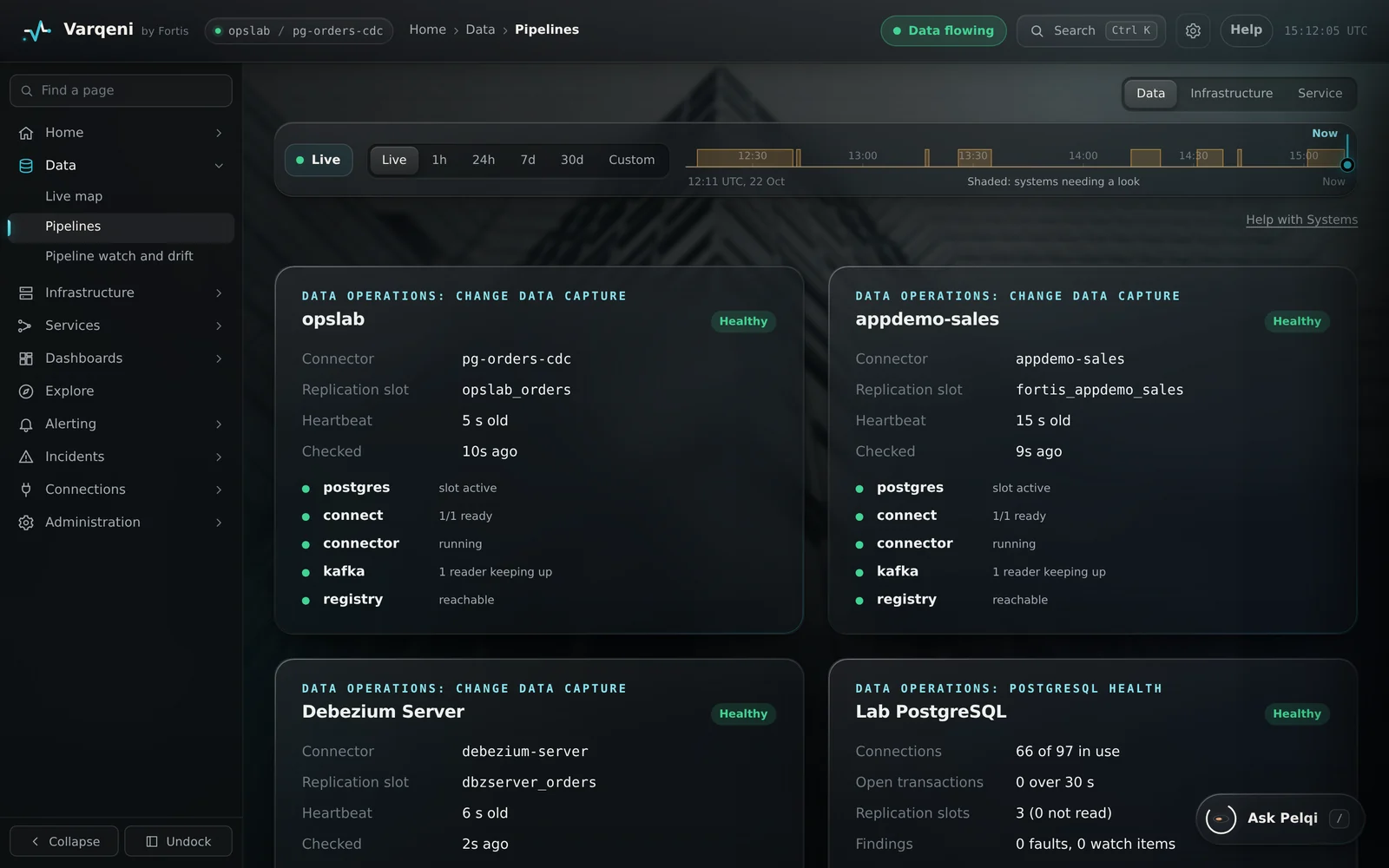
Steps
- In the sidebar, open Data and choose Pipelines.
- Each card names the pipeline, its operations area, its connector and replication slot, how old its heartbeat is, and the state of each part.
What you should see: Every pipeline you expect is listed. If one is missing, Varqeni is not watching it yet.
What it can and cannot do
Can
- List every pipeline Varqeni watches with its connector, slot and heartbeat.
Cannot
- Add a pipeline. Fortis adds pipelines during setup.
Related articles
- Switch between pipelinesWhen Varqeni watches more than one pipeline, choose which one the console shows.
- How Varqeni is set up on your systemsFortis installs the agent during early access. It reads your pipeline through identities that can only read.
Still stuck? Contact support or email info@fortisdatagroup.com.